
Releases, Not git pull: A Tiny Ansible Template for Atomic Deploys
A minimal, MIT-licensed Ansible template for atomic deploys: every release in its own numbered folder, shared files linked in, one atomic symlink switch to go live, a health check that rolls back automatically on failure, one-command manual rollback, and pruning of old releases.
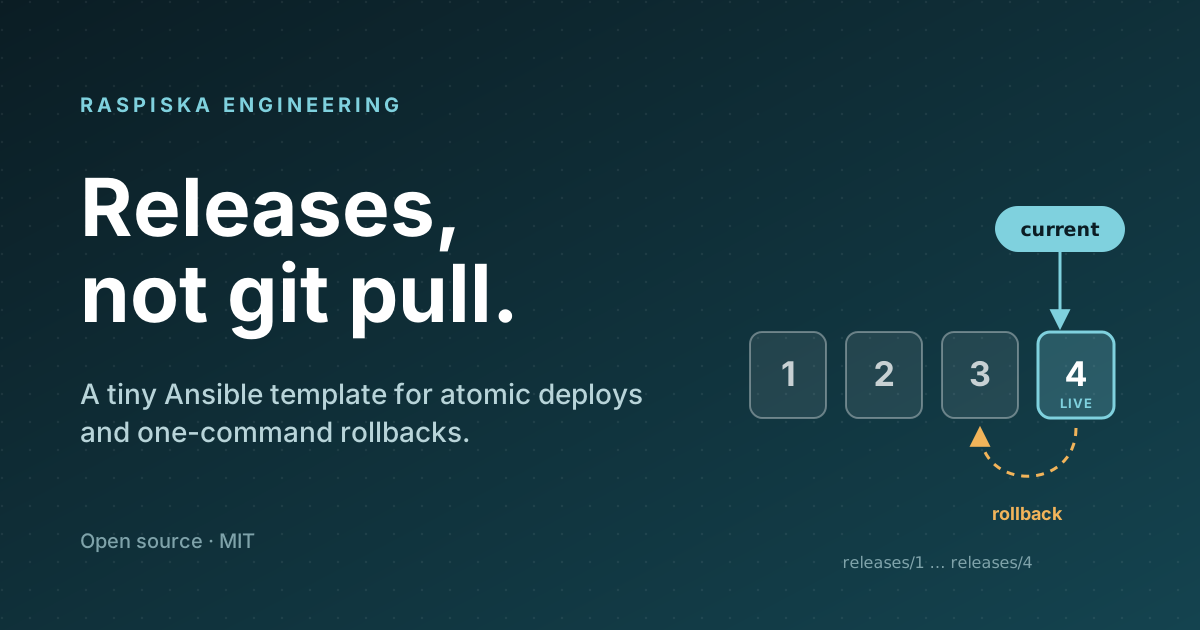
Most small teams start deploying the same way: SSH in, git pull, rebuild, restart. It works, right up to the day a
build fails halfway and the site is broken, or a visitor lands on a half-updated page, or it is 2 a.m. and you need
yesterday's version back and "yesterday's version" means another pull and another full build.
There is an older, calmer pattern that fixes all of that, and it fits in a few small Ansible files: put every deploy in its own numbered folder, and make one symlink point at the live one.
This post walks through a minimal version of it. The template is open source, MIT licensed, and short enough to read in one sitting, so you can bend it to your own stack.
Why not just deploy in place?
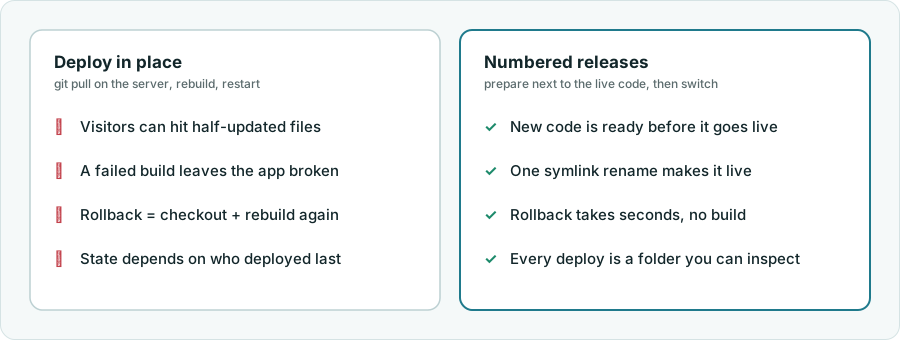
Deploying in place mutates the code your visitors are using, while they are using it. Numbered releases flip that around: the new version is built and checked next to the live one, and "going live" is a single, instant switch.
The whole idea in one picture
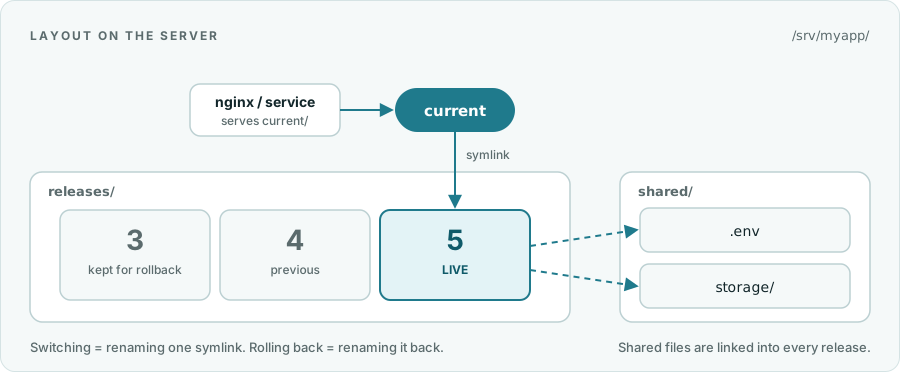
On the server it looks like this:
/srv/myapp/
├── current -> releases/5     what nginx or your service points at
├── releases/
│   ├── 3/
│   ├── 4/
│   └── 5/                    live
└── shared/
    ├── .env                  survives deploys
    └── storage/              uploads, caches, anything stateful
Three rules make it work:
- A release is never edited after it goes live. To change something, make a new release.
- Anything that must survive a deploy lives in
shared/and is linked into each release. - The only thing that changes at go-live is where
currentpoints.
Your web server (or service) always uses /srv/myapp/current/..., so it never needs to know which release is live.
One deploy, step by step
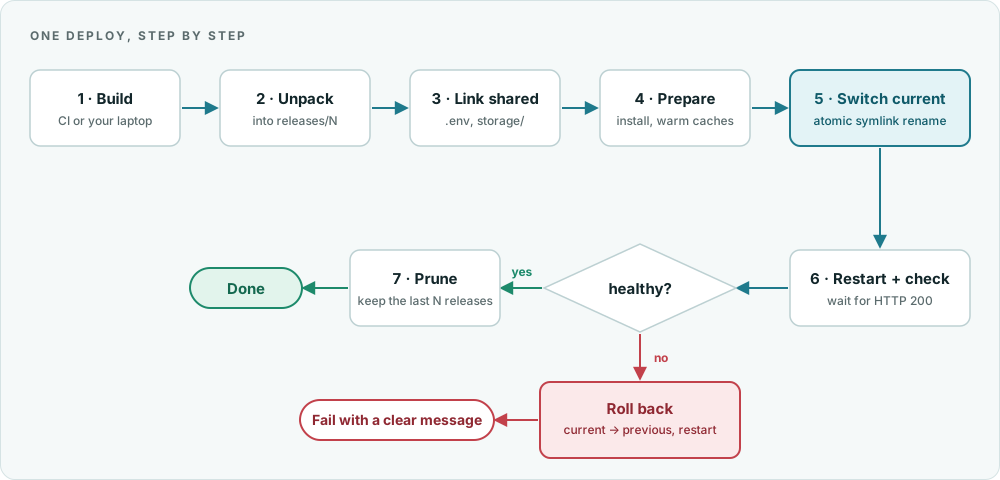
The role is plain Ansible. Here are the interesting parts.
1. Pick the next release number
Release numbers are just the highest existing folder plus one. They are never reused, even after a failed deploy.
- name: List the existing releases
  ansible.builtin.find:
    paths: "{{ base_dir }}/releases"
    file_type: directory
    patterns: '^[0-9]+$'
    use_regex: true
  register: existing

- name: Pick the next release number (1, 2, 3 ...)
  ansible.builtin.set_fact:
    release: "{{ ((existing.files | map(attribute='path') | map('basename') | map('int') | list) + [0]) | max + 1 }}"
2. Unpack, link, prepare, all before anything is live
The artifact is built somewhere else (your CI, your laptop) and shipped as a tarball or zip. Shared files are linked in, and optional commands (install dependencies, warm caches) run inside the new folder.
- name: Unpack the artifact
  ansible.builtin.unarchive:
    src: "{{ artifact }}"
    dest: "{{ release_dir }}"

- name: Link the shared files
  ansible.builtin.file:
    src: "{{ base_dir }}/shared/{{ item }}"
    dest: "{{ release_dir }}/{{ item }}"
    state: link
    force: true
  loop: "{{ shared_files }}"
If a shared file is missing, the role stops before touching anything and tells you which one to create. A broken deploy that never started is better than a half-finished one.
3. The switch
- name: Switch current to the new release
  ansible.builtin.file:
    src: "{{ release_dir }}"
    dest: "{{ base_dir }}/current"
    state: link
    force: true
This one task is the whole "go live". Ansible's file module replaces an existing symlink by creating a temporary link
and renaming it over the old one, and a rename is atomic: a request sees the old release or the new release, never
something in between.
4. Check it, and undo it if it is not healthy
This is the part that lets you deploy with less worry. The switch, restart and health check sit in a block, and a
rescue puts the old release back if anything in there fails:
- name: Go live, and undo it if the health check fails
  block:
    - name: Switch current to the new release
      # ... as above ...
    - name: Restart and check
      ansible.builtin.include_tasks: restart_and_check.yml
  rescue:
    - name: Point current back at the previous release
      ansible.builtin.file:
        src: "{{ previous }}"
        dest: "{{ base_dir }}/current"
        state: link
        force: true
      when: previous | length > 0
    - name: Restart on the previous release
      ansible.builtin.shell: "{{ restart_command }}"
      when: previous | length > 0 and restart_command | length > 0
    - name: Stop here
      ansible.builtin.fail:
        msg: "Release {{ release }} failed. Rolled back to {{ previous | basename }}."
The failed release stays on disk, so you can look at exactly what was deployed. We tested this by pointing the health check at a port nothing listens on; the result was a failed run, the old release live again, and the service restarted on it (message shortened here):
Release 7 failed (Status code was -1 and not [200]: Request failed: Connection refused).
Rolled back to 6. The failed release stays in /srv/myapp/releases/7 for debugging.
5. Prune
After a successful deploy the role keeps the newest keep_releases folders (five by default), never the live one, and
removes the rest.
Rolling back by hand
Sometimes the new release passes its health check and is still wrong: a bad config, a regression nobody tested. Rolling back is the same operation in reverse, and it takes seconds because the old release is still on disk and needs no build:
ansible-playbook rollback.yml -e app=myapp              # previous release
ansible-playbook rollback.yml -e app=myapp -e to=4      # a specific one
localhost: rolled back from release 6 to 5
Asking for a release that does not exist fails with a clear message and changes nothing.
Using the template
cp inventory.example.yml inventory.yml     # your servers, in a group called "web"
cp vars/example.yml vars/myapp.yml         # paths, shared files, restart command, health URL
# once per server: create /srv/myapp/shared/.env

ansible-playbook deploy.yml -e app=myapp -e artifact=./dist/myapp.tar.gz
Everything about your app lives in one small vars file:
base_dir: /srv/myapp
shared_files: [".env"]
shared_dirs: ["storage"]
release_commands: ["npm ci --omit=dev"]
restart_command: "systemctl reload myapp"
health_url: "http://127.0.0.1:8080/health"
keep_releases: 5
Useful flags: --limit web1 deploys to one server first (a canary), -e serial=2 rolls through two at a time, and
--check is a dry run.
Gotchas we ran into
- Long-running processes keep the old folder. A Node, Python or Ruby process started from
releases/4keeps running fromreleases/4after the symlink moves. A static site needs no restart; anything else needs a reload or restart, which is whatrestart_commandis for. - FPM and opcache. In nginx, pass
$realpath_root(not$document_root) asSCRIPT_FILENAME, so opcache keys files by the real release path. Otherwise PHP can keep serving cached code from the previous release. - Migrations are not part of the symlink. Run them once rather than once per server, and keep them backward compatible (add first, remove later), so that rolling the code back never meets a schema it does not understand.
- Secrets stay out of the artifact. Keep them in
shared/(managed with Ansible Vault or your secret store of choice) and link them in. - A shell command is not a security boundary.
restart_commandandrelease_commandsrun as written. They come from your own vars file, so treat that file like code and review changes to it. - A failed deploy leaves a folder behind. That is on purpose, since it is your evidence. Pruning cleans it up later.
Where to take it next
This template deliberately does very little, which is why it is easy to trust. Natural next steps:
- Build the artifact in CI and call the playbook from there.
- Add a notification (chat message or webhook) at the end of a deploy and on rollback.
- Write a
RELEASE.jsoninto each release with the commit and time, so you can always tell what is live. - Make the health check smarter than "answers 200": hit a page that touches the database and the cache.
- Add a second step to the rolling deploy that waits for the load balancer to see the server healthy again.
Get it
The template is MIT licensed: github.com/Raspiska-Ltd/ansible-release-template. Clone it, point it at a test server first, and make the first deploy something harmless. We would love to hear what you change.
Technologies Used
DevOps & Cloud
Other
Related Projects
Analytics Without the Cookie Banner: Self-Hosting Umami Under Your Own Subdomains
One self-hosted, cookieless Umami instance that serves every site you run, each from its own first-party subdomain. Setup, a privacy checklist, and an honest look at whether you can really drop the consent banner.
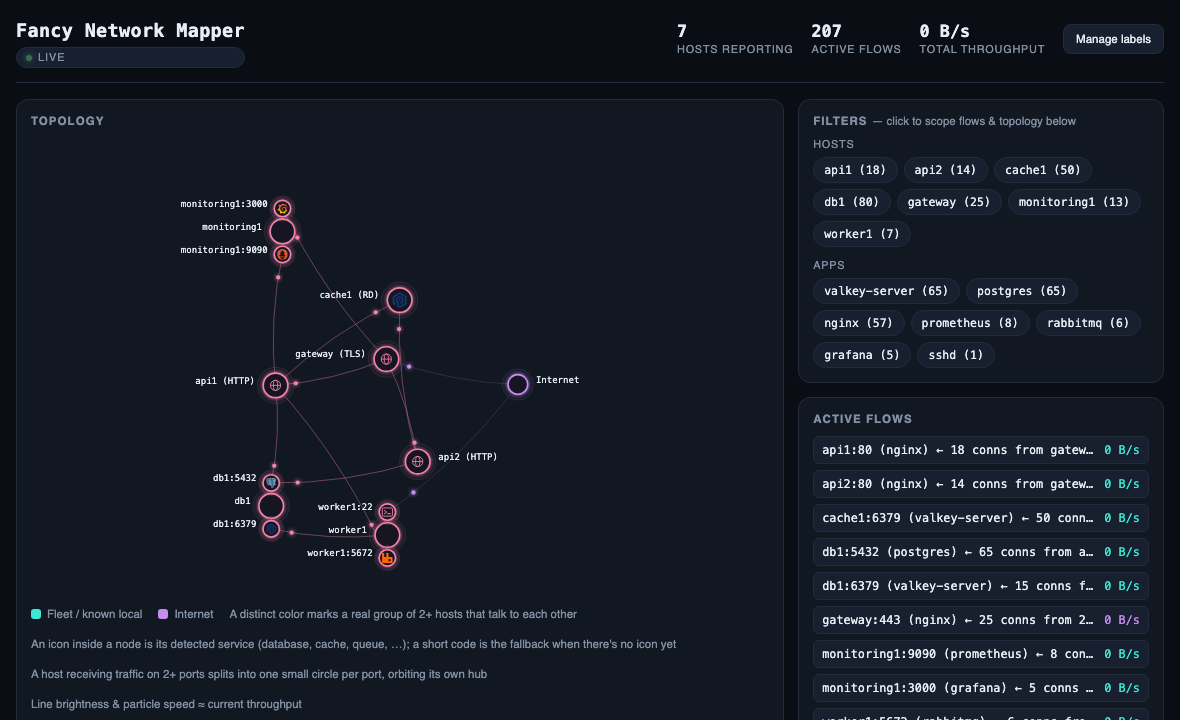
Fancy Network Mapper
I got tired of not knowing what my servers were talking to, so I built a tiny network mapper — two Go binaries that read the kernel's conntrack table and draw a live, force-directed map of who talks to whom across a fleet, with real throughput.
Have a project in mind?
Let's work together to bring your ideas to life. Our team of experts is ready to help you build something amazing.