WakeHook
WakeHook turns any monitoring alert into a phone alarm that rings through Do Not Disturb and Focus until someone acknowledges it. Escalation policies, one-tap hand-off, fire drills, heartbeat monitors and device readiness checks, with flat team pricing and a free plan. Works with Alertmanager, Grafana, Datadog, Sentry, Uptime Kuma and any webhook.
My monitoring worked perfectly. It emailed me. I was asleep.
If you've ever been on call, you know how that night goes. The check fired on time. The dashboard turned red on time. The email arrived on time. And the one thing that actually needed to happen, a human waking up, didn't.
We've run infrastructure for iGaming, fintech and Web3 teams for more than ten years, and that failure is the one we kept seeing. Not broken monitoring, but monitoring nobody heard. So we built WakeHook, and it's now in beta on iOS and Android.
wakehook.com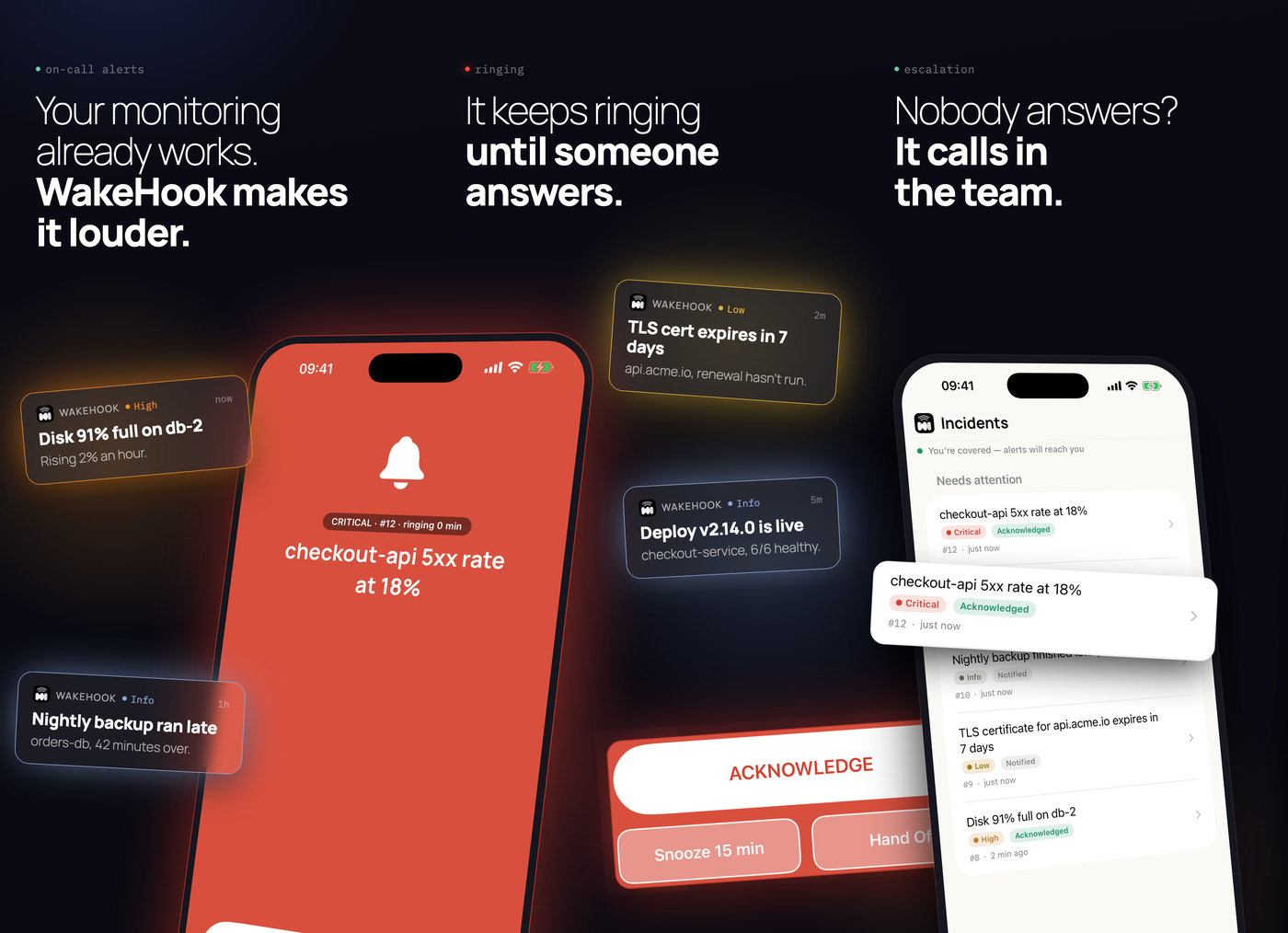
Your monitoring, louder
WakeHook does one job: it turns a machine event into a person who is awake, and it proves that happened.
Point any webhook at it. When an alert arrives, WakeHook reads its severity, works out who is on call, and rings their phone. Not a notification that sits quietly on the lock screen, but an alarm that rings through Do Not Disturb and Focus and keeps ringing until someone acknowledges it. If nobody does, it moves on to the next person.
You don't replace anything to use it. Alertmanager, Grafana, Datadog, Sentry, Uptime Kuma, AWS CloudWatch, Zabbix, a cron job: if it can send a POST, it works. There are 18 ready-made integrations, plus PagerDuty- and Opsgenie-compatible endpoints, so moving an existing integration over is usually just changing a URL.
If nobody answers, it doesn't stop
Escalation is where most "phone alert" setups fall apart. WakeHook lets you write the policy once, the way you'd say it out loud:
- Immediately: ring whoever is on call this week.
- Five minutes later, still unanswered: ring the team lead, and place a voice call after five missed rings.
- Ten minutes later, last resort: ring every phone on the team until one person answers.
The moment someone acknowledges, every other phone goes quiet. Every ring is timestamped, so "I never got paged" stops being a question anyone has to argue about.
Made for the moment you're woken up
Half-asleep, phone in hand, something's down. Those are the moments we designed for:
- Wake-proof acknowledgement. Optionally, acknowledging a critical alert means solving a trivial challenge, so you can't silence it in your sleep and roll over.
- Awake-aware alerts. Once you've acknowledged, follow-up alerts arrive quietly instead of screaming at you again.
- Hand-off in one tap. Reassign a ringing incident to a teammate from the alert itself. If they miss it too, it escalates.
- Fire drills. A scheduled test alert walks the whole path, from server to push to ring to acknowledgement. A broken pager shows up on a Tuesday afternoon, not at 3am.
- Heartbeat monitors. "If my cron doesn't check in every ten minutes, wake me." This also covers the case where your monitoring itself goes quiet.
- Device readiness. A traffic light for every responder's phone: permissions, battery optimisation, last check-in. You find the phone that would have stayed silent before it matters.
wakehook.com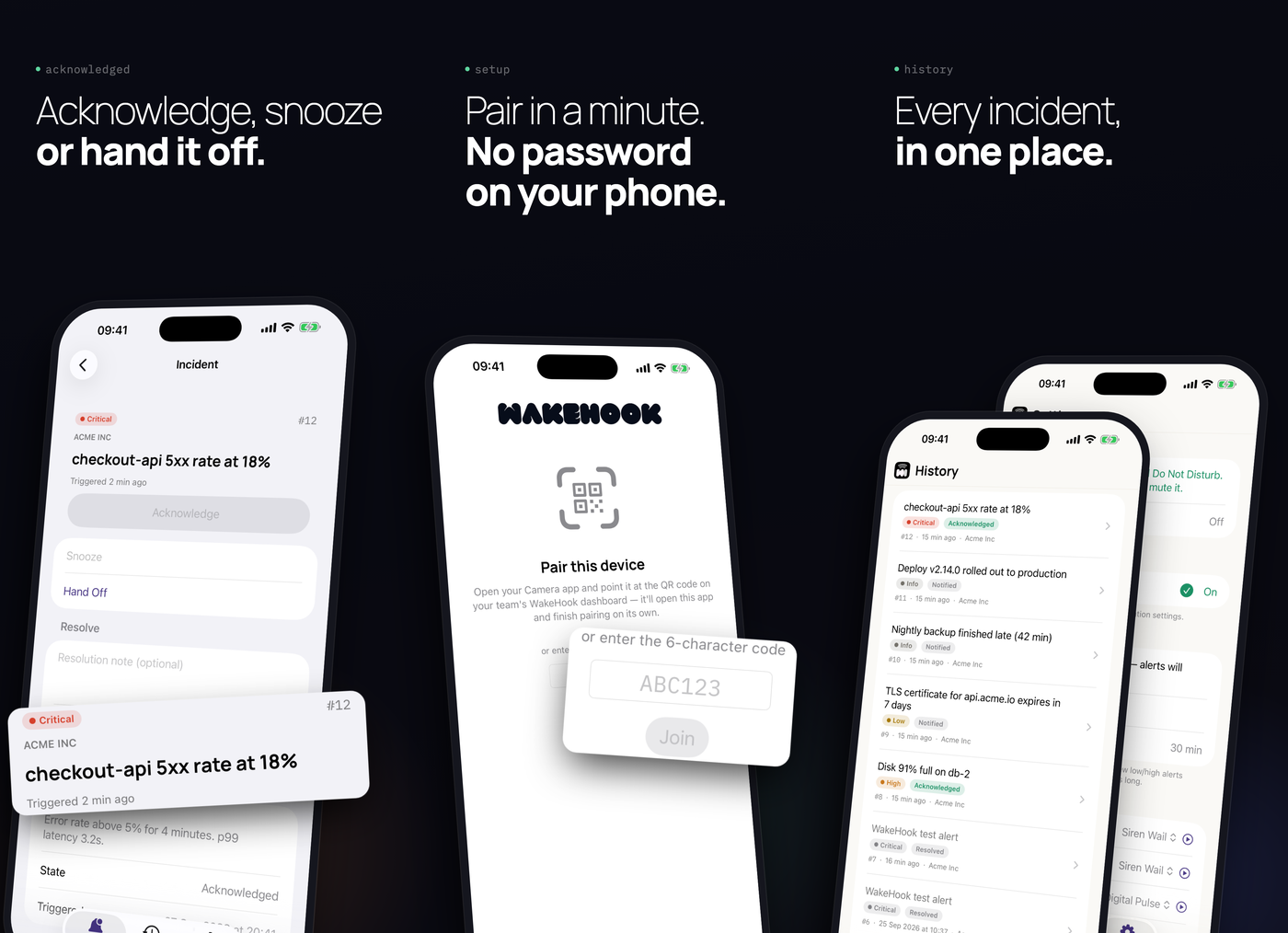
Honest about what a phone allows
Getting a phone to ring when its owner has silenced it is the hardest part of this product, and the platforms don't treat it the same way. We'd rather say it plainly:
- Android: with one permission granted in the app, WakeHook rings through Do Not Disturb, Focus, and the silent setting.
- iPhone: WakeHook rings through Do Not Disturb and Focus as a Time Sensitive alert. The hardware Silent switch still wins, because that needs an entitlement from Apple we don't have yet.
The full capability matrix is published at wakehook.com, and the app checks each responder's phone and tells you what will and won't get through.
Keep your incident platform
WakeHook isn't trying to replace PagerDuty, incident.io or Jira Service Management. Keep them for runbooks, status pages, war rooms and postmortems. WakeHook is for the part in between, where someone has to wake up. It's additive, and it's priced that way.
If you're one of the many teams leaving Opsgenie before its end of life in April 2027 and you mostly used it for alerts, a rotation and an escalation policy, WakeHook covers exactly that part, without buying a whole platform.
Pricing that doesn't tax your headcount
Most incident tools charge per user, so adding a second person to your escalation policy always costs more. WakeHook prices the capability instead:
- Free, forever: one person, one source, 100 alerts a month.
- Solo, $6/month: one person who's always on call, with unlimited sources.
- Team, $29/month: up to five seats, with escalation, rotations and hand-off.
- Business, $99/month: up to 15 seats, with SSO, an audit log and a 99.9% SLA.
Reliability is never behind a paywall. Every plan, Free included, rings through Do Not Disturb and repeats until someone acknowledges. And alerts never stop at your limit: if a big incident burns through your allowance, every phone still rings.
Join the beta
During the beta we're letting teams in from the waitlist, in small batches. If on-call is part of your life, join at wakehook.com. The apps are on the App Store and Google Play.
We'd love your feedback during the beta, especially the brutal kind.
Project Gallery
Related Projects
Fancy Network Mapper
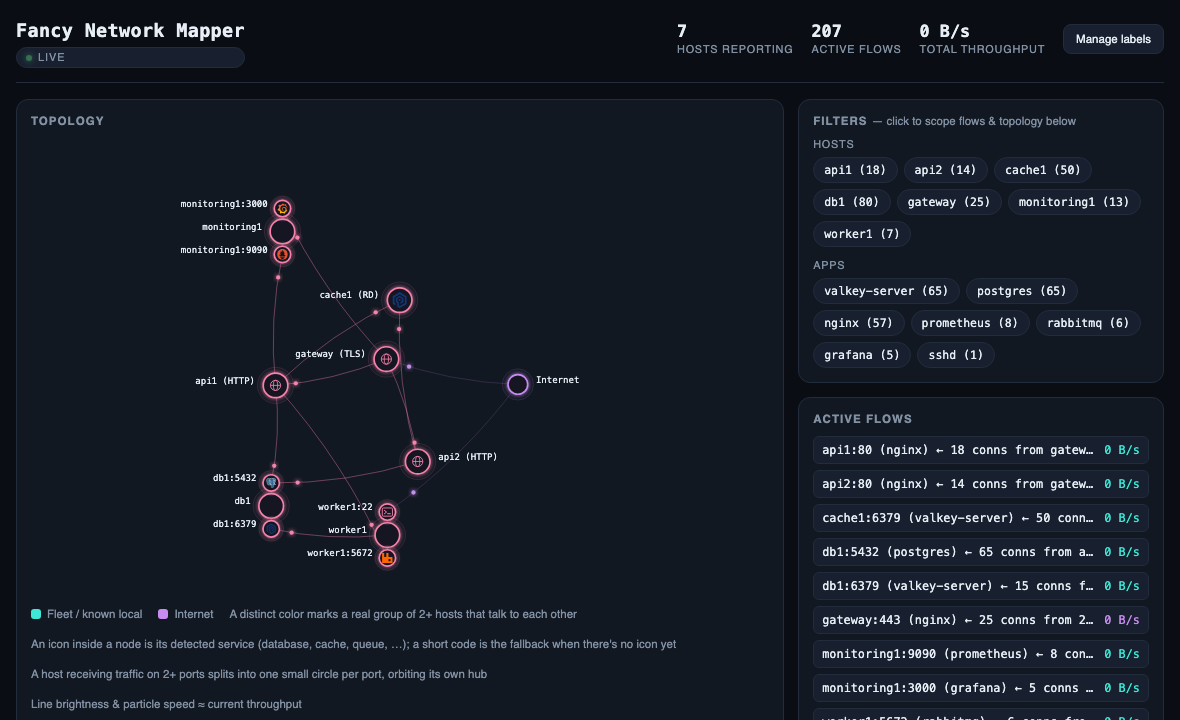
I got tired of not knowing what my servers were talking to, so I built a tiny network mapper — two Go binaries that read the kernel's conntrack table and draw a live, force-directed map of who talks to whom across a fleet, with real throughput.
CertForge
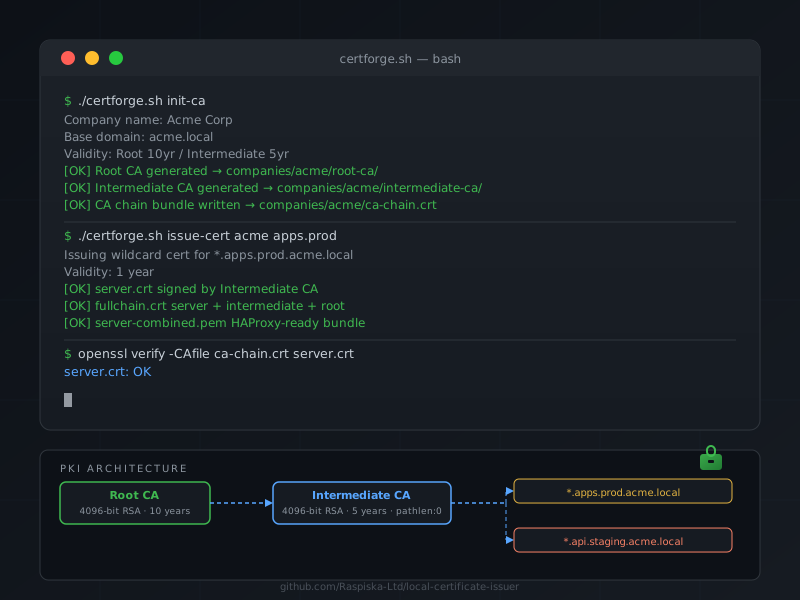
A single Bash script that sets up a two-tier private CA (Root + Intermediate) and issues wildcard SSL/TLS certificates for internal services — no daemon, no dependencies, just OpenSSL.
Have a project in mind?
Let's work together to bring your ideas to life. Our team of experts is ready to help you build something amazing.